Text Mode
Chatting in text only, without voice
In text mode you type and the companion answers in text: no microphone, no speech. Nothing else changes: the same companion, the same session, the same tools, skills and connectors.
Three ways to get there
From the start. Pick Minimal in the Setup Assistant: one key from any supported language-model provider and you're done. Speech recognition and speech synthesis can be added later.
With the voice toggle. The speaker icon on Home (also in the chat header and in the tray as Mute voice) silences replies instantly. It's a switch, not a reconfiguration: your providers stay configured. The setting applies to the whole profile and survives a restart.
By switching modules off. On the Modules page each card has a toggle. It takes speech recognition and speech synthesis out of the pipeline until you switch them back on.
If no speech synthesis provider is set up yet, the app starts muted on its own, so you get a text chat instead of an error on every reply. As soon as you make a speech synthesis provider active, the voice turns on by itself.
Where the text appears
- The chat — the conversation page with the full transcript. See History.
- The chat window — the same conversation in a separate window you can keep next to your work, even with the main window hidden in the tray.
- Subtitles over the avatar — the reply appears at the bottom of the avatar view, on Home and in Companion Mode. Only the latest reply shows; long text fades out at the top.
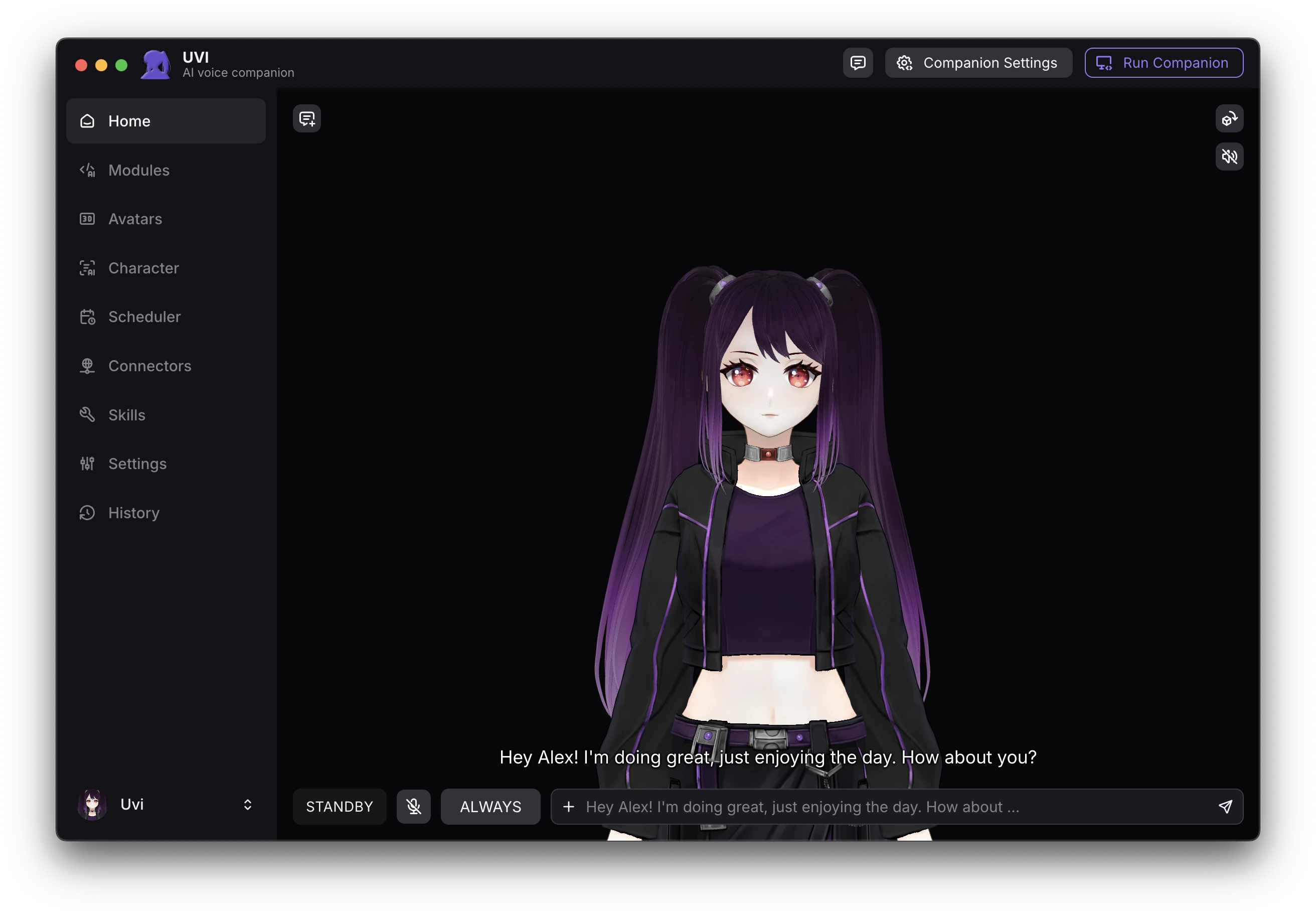
Subtitles are off by default. The Minimal path of the Setup Assistant offers to turn them on at the finish, and you can always do it yourself in Settings → Appearance, where the font size, color and auto-hide delay live.
Voice features
- With the voice muted, spoken replies go quiet: you can still talk to the companion, and the answer comes back as text.
- With speech recognition switched off as well, voice input goes too, along with the wake word, voice interruption, speaker recognition and the one-shot companion hotkey.
Everything outside voice runs as usual: the avatar lives and animates, companion mode works, and the companion acts with its tools, skills, connectors and scheduled tasks.
Turning voice on
Tap the voice toggle again, or set up a speech synthesis provider in Modules: making one active lifts the mute for you. If the module is switched off, the app offers to turn it back on right from the dialog.