Avatars
Your library of 3D models and the Explore marketplace
The Avatars page manages VRM avatars, the 3D models rendered on Home and in the companion window. Two tabs: Added (your library) and Explore (ready-made avatars to download).
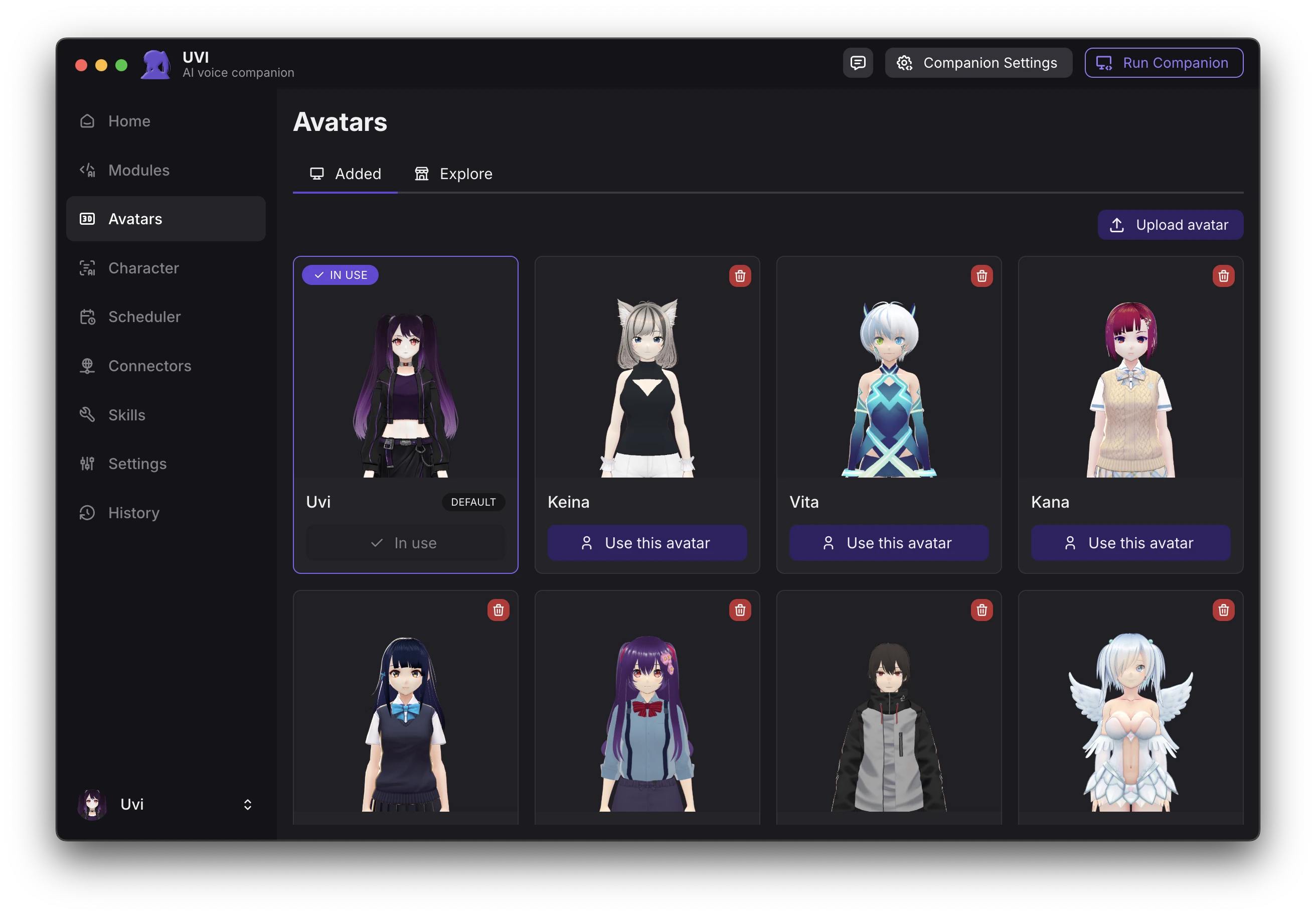
Added
- Use this avatar makes a model active: the app jumps to Home so you see it immediately. Only one avatar is active at a time (the In use badge), and each profile has its own.
- Upload avatar imports a
.vrmfile (drag & drop, up to 200 MB). VRM avatars come from VRoid Studio, VRoid Hub, Booth and similar sources. The app generates a PNG preview automatically. - The trash button deletes a model from the library (with confirmation). The built-in default avatar can't be deleted. To delete an avatar selected in another profile, switch to that profile and choose a different avatar. The delete window lists those profiles.
Explore
An online catalog of avatars. Download adds a model to your library: it appears on the Added tab, where Use this avatar makes it active.
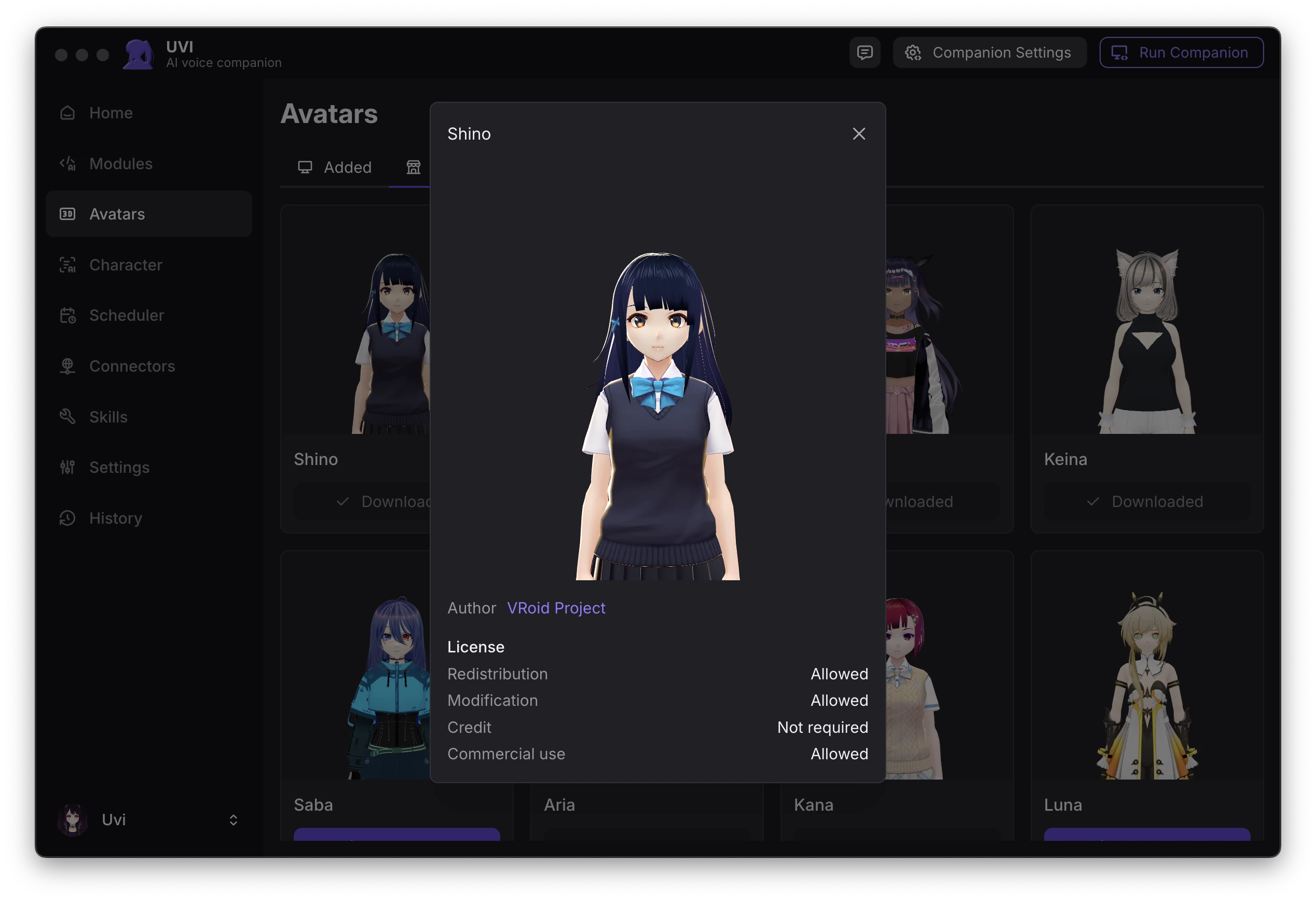
Click a preview on either tab to see the model's details: its Author, linked to their page when there is one, and a License block with the terms the author set for Redistribution, Modification, Credit and Commercial use. The app reads these terms from the .vrm file itself, and they can't be edited.
Notes
- You edit avatar position and scale on Home. The app saves them for the profile, not for each avatar, so switching avatars keeps your framing.
- The companion window picks up an avatar change the next time it opens; the Silhouette window mode needs one launch from Home after a switch (see Companion Mode).