Scheduler
Reminders and tasks the companion runs on its own
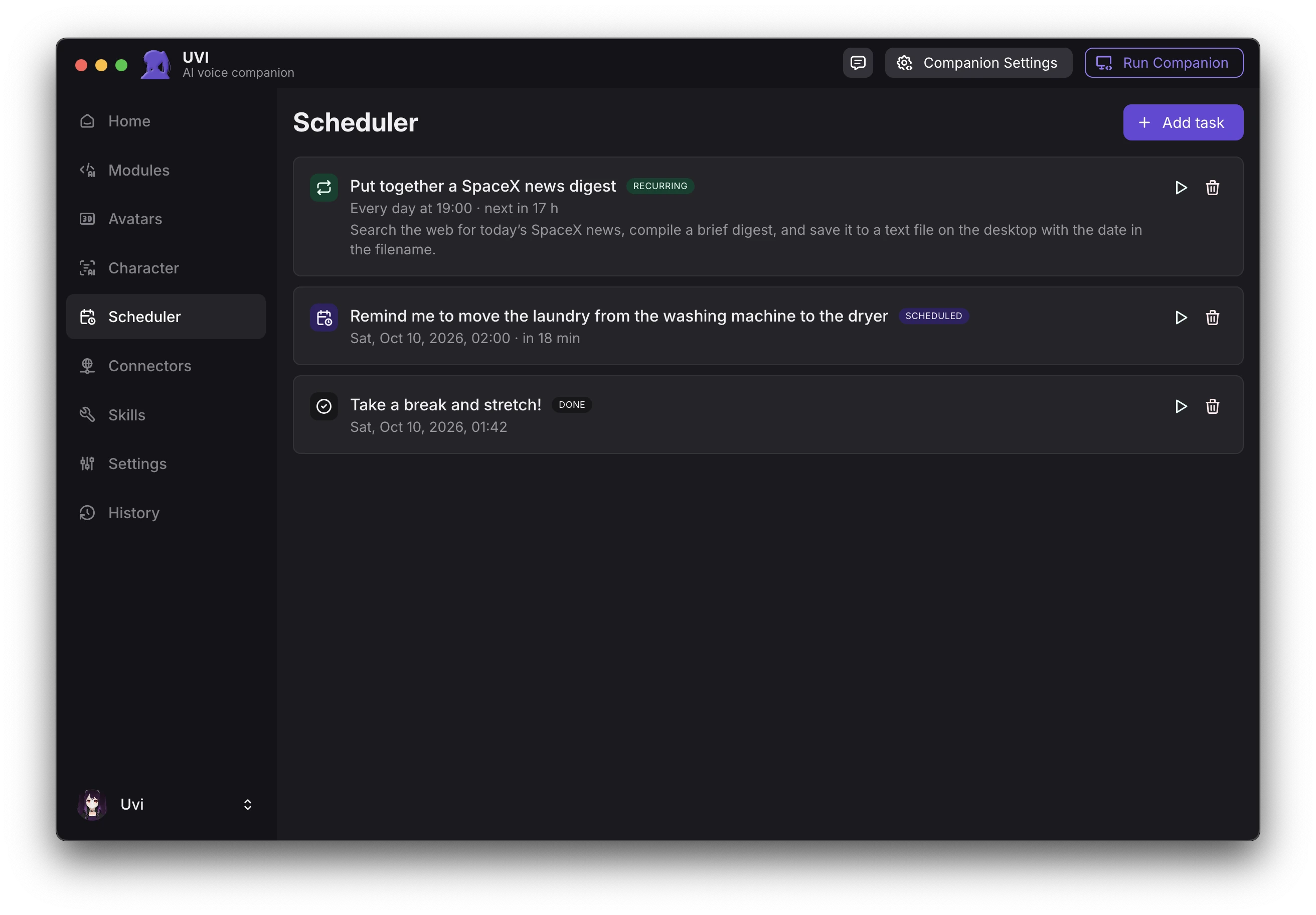
The Scheduler page manages one-time and recurring tasks. A task can be as simple as a reminder the companion speaks out loud, or a full instruction it carries out with its tools: search the news, write a file, send a message.
Creating a task
You don't have to fill out the form at all. Ask your companion instead ("remind me to call mom at seven", "every Monday morning give me a news digest") and it creates the task itself. It can also tell you what's already planned ("anything on for tonight?"), even tasks you added on this page. The form is there for when you'd rather set everything by hand.
Press Add task:
- Title (required) — a human-readable label the companion can safely speak aloud, like "News digest".
- Instructions — what should happen when the task runs; leave it empty for a plain reminder.
- One-time — pick a date and time.
- Recurring — repeat every N minutes / hours / days / weeks / months, with an optional day-of-week / day-of-month and an anchor time; the minimum interval is 1 minute.
Task cards show the schedule ("Every day at 08:00", "in 12 min") and have Run now and delete. Click a card to edit it.
How tasks fire
- With the app running, a task fires like a normal conversation turn: Instructions, when present, run with tools and confirmations; without them, the companion speaks the title as a reminder.
- A one-time task missed while the app was closed doesn't run. The companion tells you it was missed and offers to run it by hand.
- A missed recurring task moves to its next scheduled time, with no notice.
- Tasks are shared by all profiles: the active profile runs a task when it fires.
You can also ask mid-conversation: "remind me in 20 minutes…" or "every morning do…" — the
companion creates the task itself with the set_reminder and schedule_task tools, and checks
what's planned with list_scheduled.